Jump to a section
The best marketing tools in 2026 help you understand an audience, reach it with a useful offer, and measure what happens next. A bigger subscription list does not automatically improve any of those jobs. Start with the bottleneck: research, production, distribution, conversion or retention.
Our starting shortlist: Google Search Console for your site’s search evidence; Semrush or Ahrefs for deeper competitive research; Canva for everyday creative; Buffer for a small social publishing operation; MailerLite for straightforward newsletters; Klaviyo for ecommerce lifecycle marketing; HubSpot for connected lead management; and Google Analytics for acquisition measurement. These are editorial starting points for different needs, not results of a head-to-head performance test.
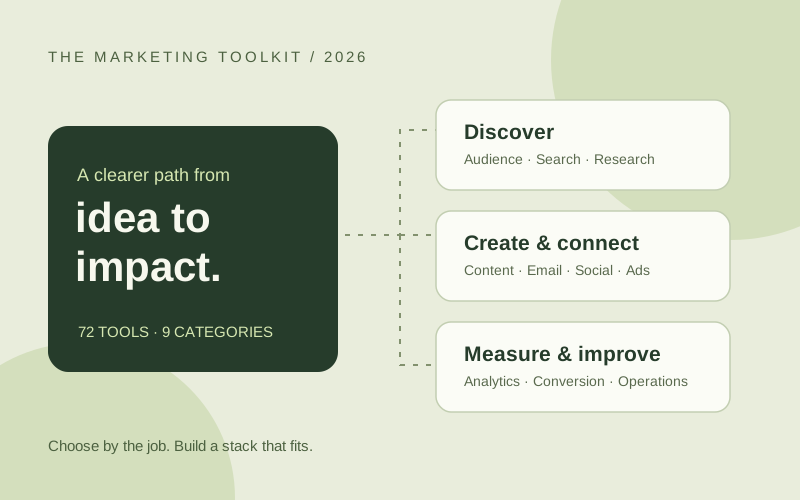
This guide compares 72 marketing apps and platforms across nine categories, including free tools, paid specialists and larger suites. Each numbered entry explains a useful fit and what to evaluate before committing. Use the task comparison below to reach the relevant category instead of treating the entire list as a shopping cart.
How we selected the best marketing tools for 2026
Idoras Editorial reviewed the linked official product pages and documentation on September 30, 2026. We selected tools for a distinct marketing job, practical integration into a workflow, and a clear reason to choose them over a neighboring category. Product descriptions are based on vendor documentation; recommendations and trial tasks are our editorial judgment. We have not benchmarked all 72 products, audited their security, or measured customer acquisition improvements.
Access labels describe the starting model, not a guarantee that every named feature is included. A free account, free trial and free open-source download are different things. Check the current official plan for contact limits, seats, sends, reporting, integrations and export rights. Advertising spend, implementation, hosting and messaging fees can sit outside a software subscription.
This edition also accounts for product changes: Data Studio is the current name for Looker Studio, and Hotjar is now part of Contentsquare. We list the current destination and familiar former name together where useful. Sources appear beside the relevant entries so you can check the capability that matters to your purchase.
Quick comparison: choose a tool by the job
| Job to solve | Start here | Consider an alternative when | First useful check |
|---|---|---|---|
| Diagnose organic search | Search Console | Screaming Frog is useful for your own crawl | Inspect an underperforming URL |
| Research competitors and demand | Semrush or Ahrefs | SparkToro answers audience questions beyond search | Turn findings into one publishable brief |
| Connect leads and campaigns | HubSpot | Salesforce fits an existing enterprise setup | Follow one lead through its full lifecycle |
| Send a newsletter | MailerLite or Kit | ActiveCampaign suits more branching automation | Test signup, unsubscribe and export |
| Grow ecommerce retention | Klaviyo | Brevo fits a different channel and cost mix | Verify order events and suppression |
| Manage social publishing | Buffer | Sprout Social fits a larger service/reporting operation | Approve and publish one real post format |
| Produce campaign assets | Canva | Descript fits spoken-video editing | Export a usable asset in each required format |
| Run paid acquisition | Google Ads, Meta Ads Manager | LinkedIn fits professional targeting | Trace a test conversion into your CRM |
| Measure acquisition and behavior | Google Analytics, Clarity | Mixpanel fits product activation analysis | Reconcile events with actual submissions |
| Improve landing pages | Unbounce | VWO fits an established experimentation program | Verify mobile form completion |
| Understand conversations and partners | Brand24, Modash | Brandwatch fits deeper research requirements | Inspect relevance before trusting a score |
| Connect the workflow | Zapier or Make | n8n fits a technical owner | Retry a failed event without duplicating a lead |
SEO tools, audience research and competitive intelligence
Good SEO campaign management starts with a distinction: your own search performance is observed data; competitor traffic and keyword demand are usually estimates. Use both, but label them correctly. Build SEO topics around questions you can answer with evidence, then check the actual results page before prioritizing a keyword solely because its difficulty score is low. Our keyword research tools guide explores this workflow further.
1. Google Search Console
Access: Free.
Best for: understanding how your own website appears in Google Search. Query, page, click and impression reports help identify content that already attracts interest; URL inspection helps investigate indexing.
Evaluate: compare an important page across comparable periods and inspect its URL. Average position is an aggregate, not a fixed ranking for every searcher. Search Console also cannot show a competitor’s private performance. Official overview
2. Google Trends
Access: Free.
Best for: checking seasonality and comparing how interest changes across topics, regions and time. It helps separate a recurring seasonal opportunity from a short-lived spike before you invest in production.
Evaluate: compare related terms using the same geography and date range. Relative interest is not a forecast of clicks or a substitute for absolute keyword volume. Official tool and learning resources
3. Semrush
Access: Paid suite / limited access.
Best for: teams combining keyword discovery, competitive visibility and site research in one suite. It is a practical candidate when several people need a shared research process rather than occasional keyword ideas.
Evaluate: investigate one topic from keyword list to search results and content brief. Confirm database coverage, project allowances and which toolkits your subscription includes; estimated volume is not guaranteed demand for your particular offer. Official platform
4. Ahrefs
Access: Paid suite / limited free tools.
Best for: investigating search visibility, competing pages and backlink opportunities. Choose it when research needs to move beyond a keyword spreadsheet into the pages and sites shaping a topic.
Evaluate: compare a known competitor and your own site, then verify the underlying pages manually. Check usage allowances and data freshness; third-party estimates should not be reported as a competitor’s actual analytics. Official platform
5. Screaming Frog SEO Spider
Access: Limited free version / paid license.
Best for: crawling a website to inspect technical and on-page issues such as response codes, page titles and internal links. It complements a search database because it examines the website you ask it to crawl.
Evaluate: crawl a representative section and prioritize issues by affected page value. Rendering choices, crawl scope and machine resources matter; a long issue export needs interpretation before becoming a development backlog. Official product
6. Similarweb
Access: Limited insights / paid plans.
Best for: studying broader digital competitors and channel patterns. It can help frame whether a market appears search-led, referral-led or dependent on another acquisition channel.
Evaluate: compare several competitors instead of building a strategy around a single estimate. Check coverage for your market and smaller websites; use directional market evidence alongside customer interviews and your own analytics. Official platform
7. SparkToro
Access: Free entry / paid plans.
Best for: finding where an audience spends time and which sources may reach it. This is useful when a keyword tool cannot explain where to distribute an interview, sponsor a newsletter or look for relevant communities.
Evaluate: turn an audience report into a small list of channels to investigate. Validate audience fit directly; an apparent affinity does not establish advertising availability or buying intent. Official audience research tool
8. AnswerThePublic
Access: Limited access / paid plans.
Best for: discovering the questions and phrasing surrounding a topic. Use it to improve an FAQ, interview outline or tutorial rather than mechanically turning every variation into a separate article.
Evaluate: group overlapping questions and identify which require a distinct answer. Confirm intent in search results and add original examples; a question list alone is not a complete editorial strategy. Official product
Email marketing, CRM and lifecycle automation
Choose this layer around the customer record and the event that should trigger communication. A newsletter business, ecommerce shop and B2B sales team have different requirements. Inspect subscriber export, suppression, event history and integration behavior before focusing on templates. For more email-specific choices, see our email products guide.
9. HubSpot Marketing Hub
Access: Free tools / paid tiers.
Best for: connecting campaigns and lead generation with a shared CRM. It is especially relevant when marketing needs to see what sales does after a form submission.
Evaluate: follow one sample lead from capture through qualification and reporting. Model the tier, marketing contacts, seats and onboarding required for your intended workflow rather than assuming entry-level access includes advanced automation. Official Marketing Hub
10. ActiveCampaign
Access: Paid plans / trial.
Best for: email marketing with automation that changes according to contact behavior. It suits teams that have moved beyond sending every subscriber the same sequence.
Evaluate: build a small workflow with an entry event, two branches and a purchase exit. Ask a colleague to explain it back to you; complexity becomes a maintenance cost when nobody understands why a contact received a message. Official platform
11. Brevo
Access: Free entry / paid plans.
Best for: businesses evaluating email, messaging and CRM capabilities in the same product family. It is worth considering when the required mix extends beyond a simple newsletter.
Evaluate: price your actual sending pattern and the channels you need. Keep marketing and transactional message requirements explicit, and verify which features, volumes and channels belong to your selected plan. Official platform
12. Klaviyo
Access: Free entry / paid plans.
Best for: using customer and shopping behavior to drive lifecycle communication. Ecommerce teams can evaluate it around welcome, post-purchase and reactivation journeys rather than newsletter production alone.
Evaluate: check that product, order and customer events arrive correctly from your store. Compare message attribution with actual orders and refunds; revenue attributed to a flow is not automatically revenue caused by that flow. Official platform
13. Zoho Campaigns
Access: Free entry / paid plans.
Best for: email campaigns and automation, particularly when the team already uses Zoho products. Evaluate its segmentation and workflows against the customer data you actually maintain.
Evaluate: connect a test list and inspect how updates and unsubscribes behave across systems. A familiar vendor name is convenient, but field mapping and feature availability still deserve a practical check. Official Zoho Campaigns
14. Mailchimp
Access: Free entry / paid plans.
Best for: businesses seeking a familiar email campaign platform with room to add segmentation and automation. Its breadth makes it a reasonable shortlist candidate for a general marketing team.
Evaluate: import a small sample, create a campaign and export the contacts again. Review how your expected contacts and sends affect the bill, including inactive records and any additional channels you intend to use. Official platform
15. MailerLite
Access: Free entry / paid plans.
Best for: smaller newsletter operations that need an approachable editing and subscriber workflow. Start here when publishing consistently is the immediate problem.
Evaluate: build a signup path, welcome message and ordinary newsletter. Confirm whether the plan supports your required automation and audience size; avoid paying for a sophisticated lifecycle suite before you have a repeatable publishing habit. Official product
16. Kit
Access: Free entry / paid plans.
Best for: creators building a business around an email audience. Consider it when subscriber relationships and regular publishing are more central than an enterprise sales pipeline.
Evaluate: test how signup sources, tags and sequences support your actual offers. Compare the features needed for paid products or audience growth separately from basic newsletter sending. Official creator platform
17. Customer.io
Access: Paid plans.
Best for: lifecycle teams with reliable behavioral data and engineering support. Product events can make communication more relevant than a calendar-only campaign schedule.
Evaluate: define an event contract before building journeys: event name, timestamp, customer identifier and properties. Test delayed and duplicate events. A powerful messaging platform cannot compensate for inconsistent instrumentation. Official platform
18. Mail Mint
Access: Plugin / paid features.
Best for: managing email campaigns and automation within a WordPress or WooCommerce environment. Often searched as “mailmint,” it is a different operational choice from moving every campaign into a separate hosted application.
Evaluate: verify the sending setup, delivery monitoring and maintenance responsibilities for your installation. Include hosting and email delivery costs in the comparison, and test a purchase event before activating a customer sequence. Official Mail Mint
19. HubSpot Content Hub
Access: Free tools / paid tiers.
Best for: teams that want content creation and management within the same ecosystem as their CRM. It has a different role from Marketing Hub, so evaluate the two as separate purchasing decisions.
Evaluate: map which publishing features you need and which existing CMS functions you would replace. Calculate combined subscriptions and migration effort before choosing an integrated suite mainly for convenience. Official Content Hub
20. Salesforce Marketing Cloud
Access: Paid / sales-led.
Best for: larger organizations connecting marketing with an established Salesforce environment and customer-data operation. Evaluate the specific product configuration rather than buying from the family name alone.
Evaluate: ask for a demonstration using your required customer journey, permissions and data sources. Identify the administrator and implementation owner; enterprise capability has little value if the team cannot operate it reliably. Official Marketing Cloud
Social media marketing tools and community management
SMM marketing covers publishing, engagement, reporting and, in some teams, customer service. The right application for social media depends on which of those jobs is consuming time. List your actual social media accounts, required post formats and approval steps; support can differ between networks and account types.
21. Buffer
Access: Free entry / paid plans.
Best for: creators and small teams organizing ideas and scheduling social content. Its publishing, collaboration and insight tools make it a practical starting point for a manageable calendar.
Evaluate: schedule your actual post formats on the networks you use. Check channel limits and team features before upgrading; an unsupported format may still need a native publishing step. Official product
22. Hootsuite
Access: Paid plans / trial.
Best for: organizations coordinating social activity across people and accounts. Consider it when a shared operational view matters more than a lightweight posting queue.
Evaluate: test an approval handoff and the reporting needed by your stakeholders. Confirm account, seat and feature limits on the proposed plan, and check whether your team will use the broader suite regularly. Official platform
23. Sprout Social
Access: Paid plans / trial.
Best for: teams treating social engagement and reporting as an ongoing business operation. It is a stronger shortlist candidate when service handoffs and stakeholder reporting are real requirements.
Evaluate: run a conversation from incoming message to resolution and inspect the resulting report. Model seats and any specialist modules separately; a team subscription should solve more than scheduling alone. Official platform
24. Later
Access: Paid plans / trial.
Best for: social teams planning visual content and evaluating creator-related marketing services. Check which Later offering matches the job rather than assuming every capability sits in one plan.
Evaluate: organize a week of assets and verify how approval, captions and publishing behave for each target network. Visual planning is useful only if the final format and handoff work as expected. Official platform
25. SocialBee
Access: Paid plans / trial.
Best for: small businesses building a repeatable social content operation. It is worth evaluating when the challenge is maintaining a useful mix of posts rather than managing a large service inbox.
Evaluate: build a calendar around distinct content themes and inspect repeated posts before reuse. Update dates, offers and context so automation does not keep distributing expired information. Official product
26. Metricool
Access: Free entry / paid plans.
Best for: teams comparing social publishing and reporting in one workspace. It can suit an operator who wants a regular review process without assembling reports entirely by hand.
Evaluate: connect representative accounts and check the metrics available for each. Compare like-for-like definitions; views, reach and engagement are not interchangeable measures across networks. Official platform
27. Agorapulse
Access: Paid plans / trial.
Best for: social teams coordinating publishing, interactions and reporting. Its network integrations make it a useful candidate for a shared calendar and inbox workflow.
Evaluate: assign a conversation, route a post for approval and inspect campaign reporting. Check the exact integration support for your channels instead of assuming all networks expose the same capabilities. Official integrations
28. Manychat
Access: Free entry / paid plans.
Best for: automating suitable conversational steps after someone engages with your business. It can help deliver requested information and route a conversation without requiring a person to repeat every response.
Evaluate: test the whole conversation, including an unexpected reply and human handoff. Verify current channel rules, message windows and consent requirements for the flow you intend to launch. Official chat marketing platform
Content marketing platforms, design and video tools
A content marketing platform can manage publishing or coordinate production; a design editor solves a different part of the process. Separate the source material, editing, approval and distribution steps. For content marketing for small businesses, one useful customer explanation repurposed carefully is often a better starting project than a large automated article queue.
29. Canva
Access: Free entry / paid plans.
Best for: producing presentations, social graphics and other everyday marketing assets from a shared visual approach. It is accessible to teams without a designer assigned to every deliverable.
Evaluate: create a reusable template and export the sizes your campaign needs. Check asset licensing and paid features before standardizing the workflow. A consistent template still needs specific, useful content. Official visual suite
30. Adobe Express
Access: Free entry / paid plans.
Best for: quick design, photo and video work, especially for teams already using Adobe assets. It belongs on the shortlist for frequent campaign variations and lightweight creative production.
Evaluate: recreate a real branded asset and compare export quality and editing effort. Verify the availability and licensing of the templates, fonts and generated assets required by your team. Official product
31. Descript
Access: Free entry / paid plans.
Best for: editing interviews, explainers and other speech-led content through a text-based workflow. It is particularly useful when the story is easier to revise as words than as a traditional timeline.
Evaluate: edit a short recording and inspect captions, names and the final audio transitions. Budget for transcription and processing allowances; automated cleanup does not remove the need to listen to the export. Official editor
32. CapCut
Access: Free entry / paid features.
Best for: producing and adapting short videos for social distribution. It is a useful candidate when the team needs frequent edits rather than a complex post-production pipeline.
Evaluate: export your intended format and inspect captions, safe areas and any premium dependencies. Confirm commercial rights for music and templates, as well as availability in your region and on your device. Official editor
33. Jasper
Access: Paid plans.
Best for: marketing teams evaluating a dedicated AI production environment. Consider it when repeatable campaign work and shared brand instructions matter more than isolated drafting.
Evaluate: give it an approved brief with source material and compare the output against your standards. Check facts, product claims and permissions before publication. Measure review time as well as drafting time when deciding whether the subscription helps. Official platform
34. Grammarly
Access: Free entry / paid plans.
Best for: improving everyday written communication and catching editing issues across marketing work. It is a useful finishing layer for drafts, landing-page text and team communication.
Evaluate: review a real sample containing product terminology and deliberate brand phrasing. Accept suggestions selectively; a language assistant does not establish whether a factual claim is true or whether an offer is persuasive. Official writing assistant
35. WordPress
Access: Open-source software / hosting costs.
Best for: teams needing a flexible CMS and a broad ecosystem of publishing extensions. The WordPress.org software is distinct from a fully managed hosting subscription.
Evaluate: test editing, redirects, backups and page performance with your proposed theme and plugins. Assign maintenance ownership and include hosting costs; free software does not mean a website has no operating cost. Official publishing platform
36. Webflow
Access: Free building entry / paid publishing.
Best for: marketing teams seeking visual control of a website with structured content publishing. Evaluate it when design changes are frequent enough that the publishing process itself is a bottleneck.
Evaluate: build a representative content template and test mobile layouts and editor handoffs. Confirm CMS, hosting, collaboration and export requirements before committing a large migration. Official platform
Advertising platforms and advertising management tools
An online advertising platform buys access to an audience; advertising management tools help operate campaigns or produce assets. Budget for these separately. Compare online advertising platforms by audience, intent and creative requirements rather than headline reach. For product ads, also check feed accuracy, stock status and the post-click buying experience. Social media advertising campaigns need creative that suits the channel and a reliable conversion signal.
37. Google Ads
Access: Advertising spend.
Best for: reaching relevant customers across Google’s advertising properties, including search and video. Search campaigns can be especially useful when a prospect is actively looking for a solution.
Evaluate: start with a defined offer and conversion action. Review queries, landing-page relevance and lead quality before expanding spend; more recorded conversions are not helpful if the underlying event is wrong. Official platform
38. Meta Ads Manager
Access: Advertising spend.
Best for: creating and managing advertising for Meta’s social properties. It is a core shortlist option when your audience and creative fit Facebook or Instagram.
Evaluate: compare a small number of clear creative hypotheses and verify the destination and conversion setup. Confirm current account eligibility and available controls in your account; the official product page may require login. Official Ads Manager entry
39. Microsoft Advertising
Access: Advertising spend.
Best for: testing acquisition beyond a single advertising ecosystem. Its search and audience offerings can be relevant when you have a clear offer and want to investigate incremental reach.
Evaluate: review targeting, conversion tracking and actual lead quality in a bounded campaign. Do not assume performance or settings transfer unchanged from another platform, even when a migration path exists. Official platform
40. LinkedIn Campaign Manager
Access: Advertising spend.
Best for: B2B offers where professional context helps define a relevant audience. It is worth testing when the desired customer is better described by a business role than a general interest.
Evaluate: measure sales acceptance and pipeline progression after a lead arrives. A low form-completion cost is not enough if the audience has little purchasing influence or the offer attracts unsuitable contacts. Official LinkedIn Ads
41. TikTok Ads Manager
Access: Advertising spend.
Best for: brands able to produce creative that fits a short-video environment. Consider production capacity alongside audience fit before adding another paid channel.
Evaluate: test distinct hooks and offers while holding the conversion goal steady. Budget for creative refresh and inspect traffic quality; a widely viewed video does not by itself establish profitable acquisition. Official TikTok for Business
42. Reddit Ads
Access: Advertising spend.
Best for: offers relevant to identifiable interests and discussions. Research the audience’s language before adapting a campaign originally built for a different platform.
Evaluate: use a concrete, credible message and a destination that answers likely objections. Compare qualified actions rather than engagement alone, and verify the targeting options currently available for your campaign. Official Reddit for Business
43. Optmyzr
Access: Paid plans.
Best for: advertisers managing enough PPC work that monitoring, analysis and repeatable account actions consume substantial time. It adds an operational layer above advertising accounts.
Evaluate: identify one recurring task and compare the time and error rate before and after using the workflow. Confirm supported platforms and review rules before enabling changes; automation still needs a budget owner. Official PPC software
44. AdCreative.ai
Access: Paid plans / trial.
Best for: teams needing additional visual advertising concepts and variations. Use it as a production candidate when creative throughput limits an otherwise well-defined testing program.
Evaluate: assess brand fit and factual claims before running a variant. Treat predictive creative scores as vendor signals, not measured conversion lift, and validate performance through your own campaign results. Official product
Marketing analytics and customer insights platforms
A customer insights platform should answer a specific decision: which campaign attracts customers, where people struggle, or what predicts retention. Installing several overlapping analytics tools can produce more disagreement than insight. Agree on event definitions, campaign naming and reporting windows before building dashboards.
45. Google Analytics
Access: Free standard product / enterprise option.
Best for: understanding acquisition and behavior across a website or app. It provides a useful measurement foundation for teams working with Google’s advertising ecosystem.
Evaluate: verify a meaningful conversion against your operational records. Expect differences between systems with different attribution and collection rules; do not treat an attractive dashboard as evidence that instrumentation is correct. Official overview
46. Google Tag Manager
Access: Free standard product / enterprise option.
Best for: managing measurement tags and their deployment. It supports the measurement system rather than replacing an analytics report or a consent-management decision.
Evaluate: preview the intended event, check when it fires and verify that it does not fire twice. Document ownership and version changes so a later campaign does not quietly break an earlier implementation. Official overview
47. Google Data Studio, formerly Looker Studio
Access: No-cost product / Pro option.
Best for: turning connected data into shareable dashboards and reports. Google’s documentation confirms the return to the Data Studio name in April 2026.
Evaluate: build one report with clear metric definitions and test sharing permissions. Check connector costs and refresh behavior; a reporting layer cannot repair inconsistent underlying data. Official overview and name-change explanation
48. Microsoft Clarity
Access: Free.
Best for: investigating how visitors interact with pages through heatmaps and recordings. Use it to form explanations for a conversion problem you have already identified.
Evaluate: inspect a sample of relevant sessions and verify masking before rollout. A recording can reveal friction but does not prove why every visitor leaves; pair observations with funnel data and user feedback. Official product
49. Matomo
Access: Self-hosted option / paid cloud and features.
Best for: organizations that want more control over how web analytics is deployed and managed. Evaluate the hosted and self-managed options as different operational commitments.
Evaluate: reproduce a report your team already relies on, then inspect hosting, maintenance and feature requirements. A privacy-oriented product still requires an appropriate configuration and data-handling process. Official analytics platform
50. Plausible Analytics
Access: Paid hosted service / community option.
Best for: teams that want a focused website analytics view with less reporting complexity. It is useful when a smaller set of understandable metrics is sufficient for decisions.
Evaluate: list the events and dimensions you need before switching. Simplicity is a benefit only when it still answers your important acquisition and conversion questions. Official product
51. Mixpanel
Access: Free entry / paid plans.
Best for: connecting acquisition to what users do inside a product. It belongs on a SaaS shortlist when signup totals conceal differences in activation or repeat use.
Evaluate: define a meaningful activation event and compare cohorts. Audit event names and identity handling first; inconsistent instrumentation can make a polished funnel misleading. Official platform
52. Amplitude
Access: Free entry / paid plans.
Best for: teams studying product journeys and customer behavior beyond the first conversion. Evaluate it alongside the people who own product instrumentation and retention decisions.
Evaluate: answer one defined question about a cohort or journey before adding dashboards. Estimate data volume and the work needed to maintain a useful event taxonomy. Official platform
Landing pages, forms and conversion optimization
Conversion software helps you build or investigate a buying path. Before running an experiment, confirm that the page works, the offer is understandable and the form reaches the right destination. Low-traffic teams can often learn more from fixing an obvious usability issue than from dividing a tiny audience between variants.
53. Unbounce
Access: Paid plans / trial.
Best for: marketers creating campaign-specific landing pages without routing every variation through a full website release. It fits a team with recurring acquisition experiments.
Evaluate: reproduce a real offer, test mobile form submission and check the CRM handoff. Compare traffic allowances and testing features with the volume your campaigns will actually send. Official landing-page platform
54. Leadpages
Access: Paid plans / trial.
Best for: businesses building dedicated lead-generation pages and evaluating conversion tools in the same environment. Start with the simplest page needed to explain the offer clearly.
Evaluate: measure setup effort, mobile readability and the reliability of the lead delivery path. Confirm which testing and analysis features your plan includes before using them in a purchasing comparison. Official platform
55. Instapage
Access: Paid plans.
Best for: teams producing landing pages as a regular part of paid acquisition. Evaluate it when page creation, iteration and collaboration are constraining campaign work.
Evaluate: build a page for one specific audience and compare the approval process with your current workflow. Check scale limits and integrations rather than assuming every enterprise-oriented capability is included. Official platform
56. VWO
Access: Paid / plan-dependent access.
Best for: teams building a deliberate experimentation program. VWO’s current web presence sits under Wingify, which describes VWO and AB Tasty together; confirm the specific offering in your evaluation.
Evaluate: define a hypothesis, primary metric and stopping rule before implementation. Traffic, effect size and measurement quality determine what an experiment can teach you. Official current platform
57. Optimizely
Access: Paid / sales-led.
Best for: organizations needing a broader digital experience and experimentation environment. Match the proposed product to your actual testing and publishing requirements.
Evaluate: review implementation, governance and analysis with both marketing and engineering. A testing platform needs a reliable experiment process and sufficient evidence; software alone does not make an inconclusive result decisive. Official platform
58. Typeform
Access: Free entry / paid plans.
Best for: forms and surveys where presentation and the question sequence matter. It can support lead qualification and feedback collection when the questions have a clear purpose.
Evaluate: complete your form on a phone and test the destination integration. Count required responses and check branching needs before selecting a plan; a pleasant form can still ask too many questions. Official platform
59. Tally
Access: Free entry / paid options.
Best for: building useful forms with a lightweight editing experience. It is a sensible starting candidate for a small team collecting requests or running a focused survey.
Evaluate: test required fields, confirmation and the destination workflow. Review fair-use conditions and any paid requirements for branding or administration rather than assuming all operating needs are covered by free access. Official form builder
60. Contentsquare, including former Hotjar capabilities
Access: Free entry / paid plans.
Best for: investigating the experience behind conversion behavior. Hotjar has merged into Contentsquare, so new evaluations should follow the current product rather than an outdated standalone Hotjar recommendation.
Evaluate: confirm the heatmaps, recordings and feedback capabilities included in your plan. Inspect masking and representative journeys before expanding collection. Official explanation of the Hotjar transition
Brand research, social listening and partnership marketing
A brand research platform helps investigate how people discuss a market; a partnership platform manages relationships and commercial workflows. These tools answer different questions. Check source coverage and the relevance of individual mentions before accepting sentiment summaries or audience scores as a complete view of your customers.
61. Brand24
Access: Paid plans / trial.
Best for: monitoring public mentions and investigating brand conversations across sources. It can support PR review, reputation work and customer-language research.
Evaluate: test a query containing your brand and common false positives. Manually review a sample of sentiment labels and refine the query; an ambiguous brand name can produce a very noisy report. Official listening platform
62. Brandwatch
Access: Paid / sales-led.
Best for: organizations with deeper consumer intelligence and social research requirements. Evaluate it when the team can turn research into product, positioning or campaign decisions.
Evaluate: ask for a demonstration around a real research question, language and market. Confirm source access and analysis requirements; a large dataset is only valuable when the relevant conversations are represented. Official platform
63. BuzzSumo
Access: Paid plans / trial.
Best for: researching content ideas and media opportunities. Use it to investigate what earns attention and identify angles that deserve closer editorial examination.
Evaluate: inspect the underlying content instead of copying a popular headline. Attention is not the same as qualified demand; identify the missing explanation or original evidence your team can contribute. Official research platform
64. impact.com
Access: Paid / sales-led.
Best for: businesses organizing partnership marketing as an ongoing program. Evaluate the platform against recruitment, tracking and relationship-management requirements rather than only a partner directory.
Evaluate: map the path from a partner referral to an approved commission. Check returns, attribution disputes and reporting expectations before launch so growth does not create an unmanageable reconciliation process. Official platform
65. PartnerStack
Access: Paid / sales-led.
Best for: B2B companies developing a partner ecosystem. It is relevant when partner recruitment and activation require a repeatable process beyond a spreadsheet of introductions.
Evaluate: define what qualifies as an accepted referral and how partners receive status updates. Model the administrative effort and economics of your program before assuming a platform will create partner demand by itself. Official platform
66. Modash
Access: Paid plans / trial.
Best for: finding and evaluating creators for influencer campaigns. It can help organize a shortlist around audience fit rather than follower count alone.
Evaluate: manually inspect a creator’s recent work and audience relevance. Confirm usage rights, deliverables and measurement separately; database metrics cannot replace agreement on what the campaign is meant to achieve. Official influencer platform
Marketing operations, collaboration and workflow automation
The connecting layer deserves as much attention as the visible campaign. Keep a clear owner for customer records, creative assets and approvals. Introduce an automation only when you can explain its trigger, destination, failure behavior and recovery process.
67. Zapier
Access: Free entry / paid plans.
Best for: connecting supported applications and automating routine handoffs. It is a useful starting point when a repeated copy-and-paste step is slowing a small marketing operation.
Evaluate: check the exact trigger and action you require, then test failure and retry behavior. Estimate task usage at real volume and prevent duplicate records before automating a lead pipeline. Official automation platform
68. Make
Access: Free entry / paid plans.
Best for: visually mapping workflows that move and transform data between systems. It is worth evaluating when several branches or processing steps need to be understood together.
Evaluate: build one realistic scenario with an error path. Inspect usage across every step; a single business event may consume more than one billable unit as it passes through a workflow. Official platform
69. n8n
Access: Self-hosted option / paid cloud.
Best for: teams with technical ownership that want flexible workflow automation and deployment choices. It can suit a more customized integration than a simple form-to-list handoff.
Evaluate: compare managed service costs with self-hosting, maintenance and recovery work. Review licensing for your intended use and assign an operator; deployment control also brings operational responsibility. Official platform
70. Airtable
Access: Free entry / paid plans.
Best for: organizing campaigns, assets and related records in a structured workspace. It can provide a useful middle ground when a plain spreadsheet loses relationships between briefs, owners and deliverables.
Evaluate: build a small campaign base with clear ownership and status fields. Confirm permissions, automation allowances and export needs before making it the operational source of truth. Official platform
71. Asana
Access: Free entry / paid plans.
Best for: coordinating campaign work across people and deadlines. Use it when unclear ownership and dependencies cause more trouble than a lack of creative software.
Evaluate: run a campaign through briefing, review and launch with one accountable owner per task. Keep the process small enough that the team updates it; an elaborate board that nobody trusts adds little value. Official platform
72. ClickUp
Access: Free entry / paid plans.
Best for: teams evaluating a broad workspace for planning and task coordination. It is a candidate when fragmented work tracking makes campaign status difficult to understand.
Evaluate: agree on a minimal set of statuses and views before importing everything. Compare administration and training effort with the number of separate tools the workspace would actually replace. Official platform
Effective marketing strategies for small businesses in 2026
Pick a customer segment, a valuable offer and one main acquisition channel before selecting software. The following are example starting stacks, not tested performance bundles. Substitute tools you already know when they meet the same requirement.
| Business model | Practical starting stack | Why these roles belong together | Add a specialist when |
|---|---|---|---|
| Solo service business | Search Console + Canva + Tally + MailerLite | Publish useful answers, capture an inquiry, follow up consistently | Lead handoffs become difficult to track |
| Creator newsletter | Kit + Canva + Buffer | Produce, distribute and retain an owned audience | Segmentation requires behavior outside the newsletter |
| Ecommerce brand | Klaviyo + Canva + one ad platform + Google Analytics | Connect creative, acquisition and repeat purchases | Creative production or feed operations become the bottleneck |
| B2B SaaS team | HubSpot + one SEO suite + LinkedIn Ads + Mixpanel | Link demand generation with accepted leads and activation | Event-driven lifecycle messaging needs a specialist |
| Small agency | One social suite + Data Studio + Asana | Coordinate clients, approvals and reporting | Repeated account operations justify dedicated automation |
| Technical growth team | n8n + a chosen CRM + Matomo or Google Analytics | Keep integrations explicit and measurement owned | Manual maintenance exceeds the value of customization |
For content marketing for small businesses, start with a recurring customer question. Interview the person who answers it, capture a real example, publish the explanation on your site, and distribute a shorter version through the channel where customers already pay attention. Use a newsletter to offer the next useful step. The benefits of content marketing are most defensible when you can connect the work to better-informed inquiries, repeat visits or assisted sales, rather than promising that more articles automatically create demand.
A marketing automation workflow you can actually maintain
Consider a prospect requesting a product-selection checklist. This is an illustrative workflow, not a report of results from an Idoras client.
- Capture the request. A Tally, Typeform or HubSpot form records the requested resource and the permissions the person actually provided.
- Validate and deduplicate. Normalize the email address, attach a stable submission identifier, and update the appropriate CRM record. A retry should not create another contact or send the resource twice.
- Deliver the requested resource. Use the selected email system and confirm that failures reach a monitored queue. Do not silently treat a failed delivery as engagement.
- Enter only an eligible follow-up sequence. Separate resource fulfillment from marketing enrollment. Use the applicable permission and subscription state, not a blanket assumption based on form submission.
- Branch on a meaningful event. A booked demonstration or purchase should change the journey. A single email open is a weak reason to send a contact to sales.
- Stop when the context changes. Exit or suppress on unsubscribe, purchase, disqualification or an active support issue as appropriate. Avoid continuing acquisition messages after conversion.
- Make recovery visible. Log the event ID, destination and failure reason. Assign an owner and test reprocessing before the workflow handles real volume.
Use native integrations when they meet the requirement. Add Zapier, Make or n8n for a specific missing handoff, and document which system owns each field. Two applications repeatedly overwriting one another’s lifecycle status can be worse than a manual update.
Build an integrated marketing campaign around one offer
Integrated digital marketing works when the message, audience and next action stay coherent across channels. Here is an example for a B2B service offering a website conversion review. It illustrates handoffs; it is not a fabricated marketing case study or a promise of results.
| Stage | Deliverable and tool role | Information passed forward | Decision to make |
|---|---|---|---|
| Research | Customer interviews plus Search Console and one research tool | Specific problem and language customers use | Is this problem relevant to the offer? |
| Create | Evidence-led explanation in the CMS; graphics in Canva | Approved claims, source links and one call to action | Does the content answer the question fully? |
| Distribute | Newsletter, Buffer queue and a bounded ad test | Consistent campaign name and tagged links | Which channel brings suitable inquiries? |
| Convert | Focused landing page and short qualification form | Source, request and permission state | Is the request reaching the correct owner? |
| Follow up | CRM and a defined email workflow | Qualification, booked meeting and outcome | Are messages appropriate to the lead’s current stage? |
| Learn | Analytics plus CRM outcome report | Spend, accepted leads, sales and objections | Improve the offer, the audience or the handoff? |
Before launch, run one test submission from every channel through to the final owner. Check mobile readability, tracking, duplicate handling and the reply destination. A campaign that looks consistent but loses leads between applications is not operationally integrated.
Content marketing analytics: measure decisions, not dashboard size
Separate three layers. Reach describes whether the content was encountered. Behavior describes what visitors did. Business outcomes describe qualified leads, purchases or retained customers. A single metric cannot stand in for all three.
Define an accepted lead before calculating cost per accepted lead. For example, if an illustrative campaign spends $600 and produces 12 leads accepted by sales, media cost per accepted lead is $50. If it also requires $300 in production and operating effort, the same calculation becomes $75 with those costs included. These are arithmetic examples, not benchmark figures. State which costs your report includes.
For content, inspect the landing page, source, meaningful action and later outcome together. Compare relevant periods and segments; a seasonal spike or a change in tracking can resemble improvement. Keep attribution consistent and avoid adding platform-reported conversions together as though each system counted a different customer.
How to compare the real cost of marketing software
The subscription is only one part of the decision. Estimate cost at today’s volume and at a plausible next stage, then identify which threshold causes the next upgrade.
| Tool category | Common cost driver to inspect | Work that is easy to omit |
|---|---|---|
| Email and CRM | Contacts, sends, seats, automation tier, messaging | Migration, list cleanup, delivery setup and training |
| Social management | Accounts, seats, reporting and listening modules | Content production and approval time |
| Advertising | Media spend plus management software | Creative refresh, landing pages and conversion setup |
| Analytics | Events, sessions, storage, connectors or hosting | Instrumentation, data reconciliation and maintenance |
| Landing pages and testing | Traffic, workspaces and experiment features | Page QA, analysis and implementation |
| Workflow automation | Tasks, credits, executions and hosting | Failed runs, deduplication and credential maintenance |
| Enterprise suites | Products, seats, usage and services | Implementation, governance and administration |
Request an export during the evaluation, not only when leaving. Check whether contacts, content, reports and workflow definitions leave in usable formats. Record an owner for every subscription and remove overlapping capabilities only after confirming which team still depends on them.
A 30-day plan for choosing your marketing stack
Days 1–7: define the job. Write the customer segment, offer, acquisition channel and meaningful conversion. Inventory existing subscriptions. Identify one recurring bottleneck and the baseline time, error or outcome you want to improve.
Days 8–14: evaluate two candidates. Give both the same representative task. Check the final output, integration, mobile experience, export and expected bill. Record actual setup and review time rather than relying on feature-count comparisons.
Days 15–21: run a bounded workflow. Use one campaign or audience segment. Verify the handoff between tools and manually reconcile a sample of conversions with real records. Fix missing events and duplicate contacts before expanding.
Days 22–30: decide and document. Keep the tool if it improves the defined job at an acceptable operating cost. Write down ownership, cancellation terms, access and failure recovery. Thirty days may be enough to evaluate usability and workflow fit; it is often too short to judge long-term SEO or retention impact.
Frequently asked questions
What are SEO tools, and which should a beginner use?
SEO tools help investigate search demand, technical website conditions and search performance. Start with Search Console for your own site and Google Trends for seasonality. Add a research suite when you have a recurring need to investigate competitors or keyword opportunities. Add a crawler when you need a systematic technical inspection. Each answers a different question.
Which free marketing tools should a small business start with?
Search Console, Google Trends and Microsoft Clarity are useful free starting tools for their respective jobs. Canva, Buffer, MailerLite and Tally also offer entry options worth evaluating within their current limits. Choose a small set that covers production, distribution, capture and measurement; free access is not a reason to install every tool.
Is SEO worth it compared with paid advertising?
SEO may be worthwhile when customers repeatedly search for questions you can answer well and the resulting visitors fit your offer. Paid advertising can test distribution more quickly, but ongoing reach depends on spending. Estimate content and maintenance effort, the value of a qualified visitor, and the time you can allow before results. Measure both using comparable business outcomes rather than equating organic traffic with free acquisition.
Do I need an all-in-one marketing platform?
An integrated platform can reduce handoffs when the team shares customer data and workflows. Separate specialists can fit better when one requirement is unusually demanding. Compare total operating effort: integration, training, reporting and maintenance belong in the decision alongside subscription price.
Which AI marketing tools are worth evaluating?
Evaluate AI around a specific production step: Jasper for marketing drafts and workflows, Canva or Adobe Express for visual work, Descript for speech-led editing, or AdCreative.ai for advertising variations. Use the same brief and review standard for each candidate. A useful result must be accurate, usable and faster after review, not merely quick to generate.
Should I buy more tools as my marketing grows?
Add a tool when you can name the limitation, owner and expected benefit. Upgrade an existing workflow first if that solves the problem. A larger team may need better permissions and reporting more urgently than another channel or content generator.